Acknowledgement Letters & Batch Reports
Acknowledgement letters are the formal thank-you letters mailed to donors. The system generates them as .docx files; staff print them on letterhead before sending.
Generating Acknowledgement Letters
- Navigate to the Acknowledgement Letters section
- Select a Fund
- Set a Date Range
- Optionally filter by:
- Staff member who recorded the donation
- Online donations (to include or isolate Stripe-processed gifts)
- Click Generate
The system exports a single .docx file containing all letters for the selected batch.
Letter Templates
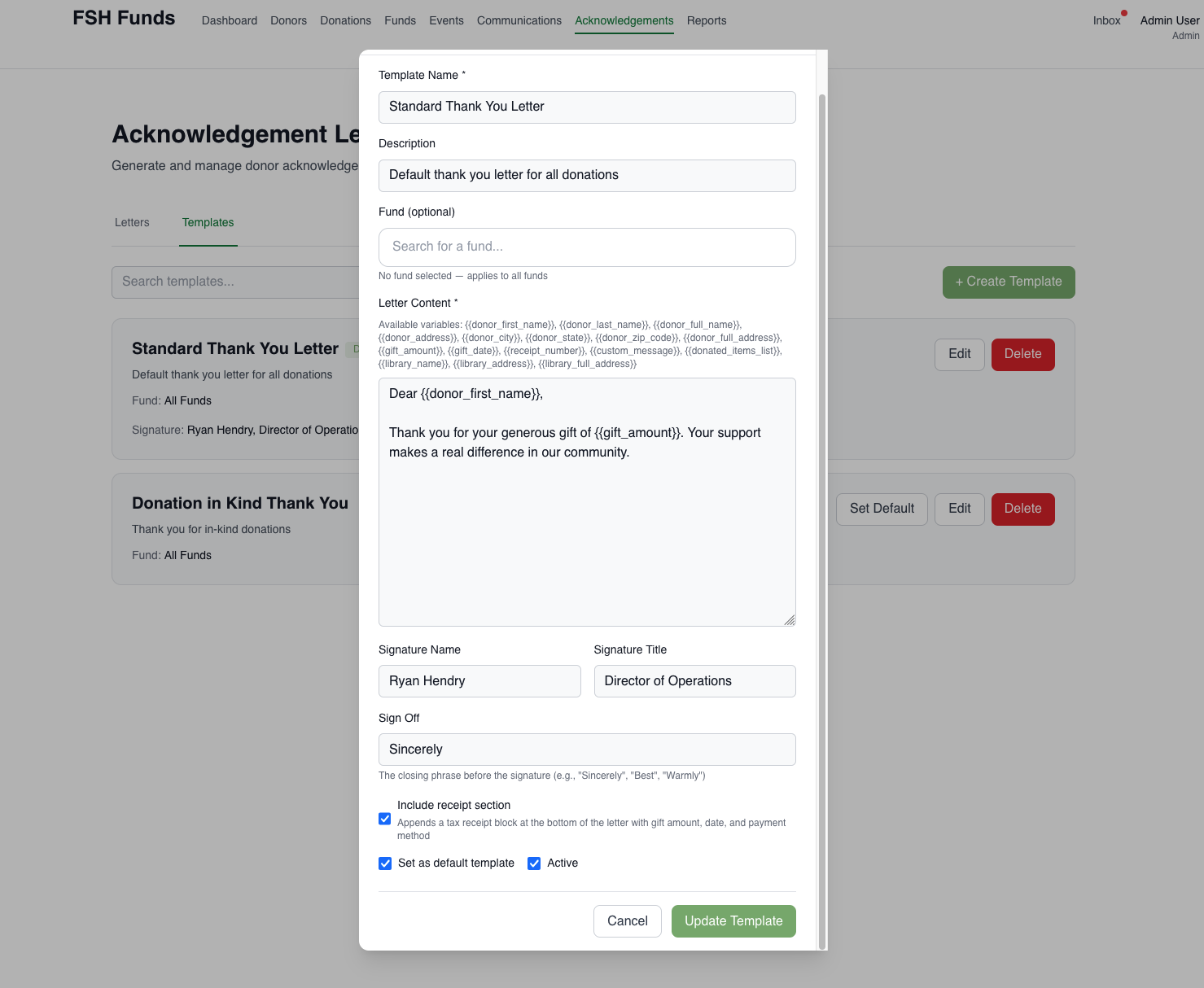
Sign Off
The Letter Templates include a “Sign Off” field so there is no need to include in the Letter Content (or it will be duplicated)
Custom Message Per Letter
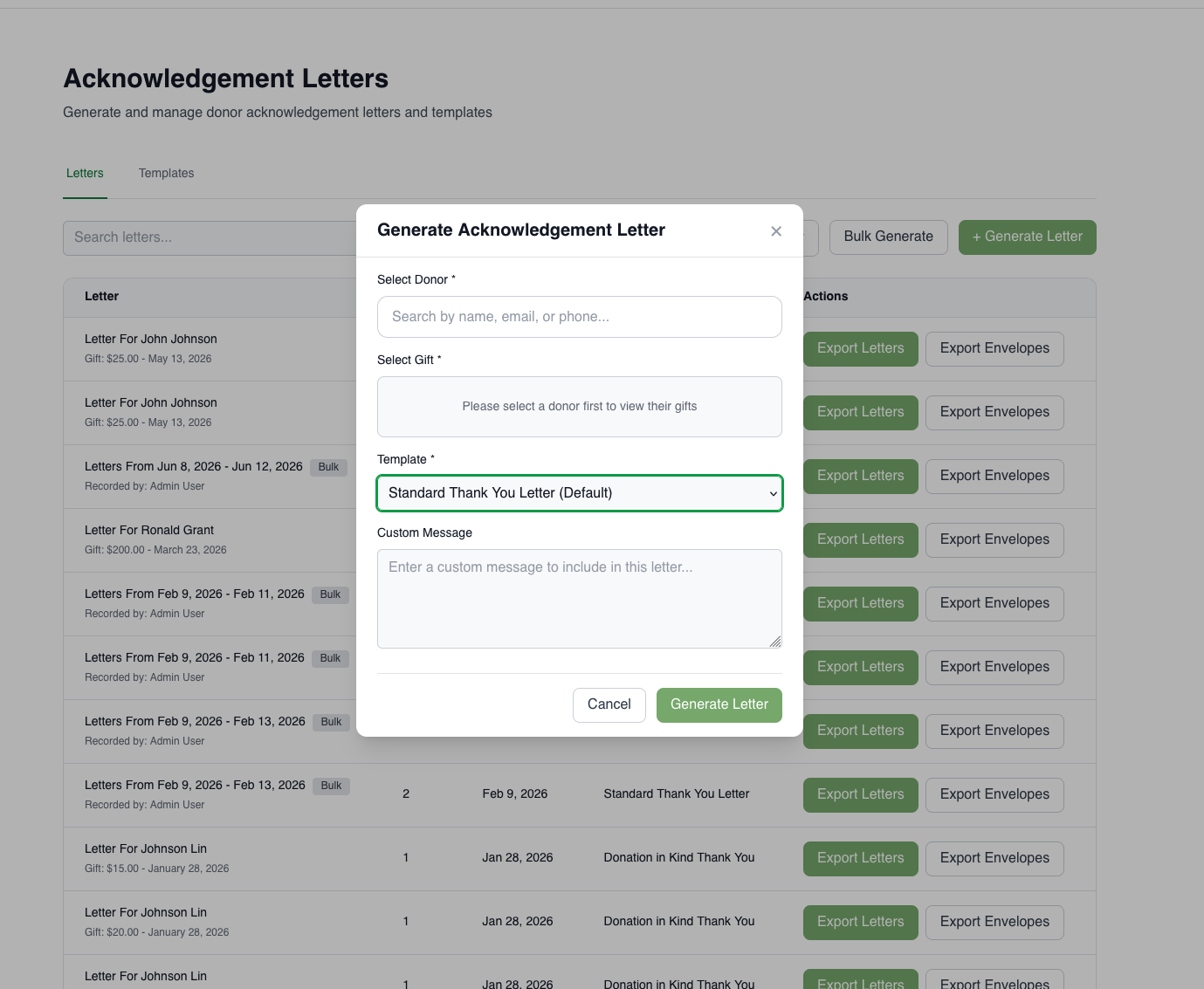
If you include the variable {{custom_message}}, you will have the option to add a custom message when generating the letter. Use this for donation-specific notes, such as acknowledging a designated gift or referencing a special circumstance.
Custom message field will not show up unless it is added as a variable in the template selected. This is to make it very clear when you can add a custom message (configured in the template)
Receipt Section
If your template includes receipt section, each acknowledgement letter will have a payment receipt block at the bottom showing:
- Payment method (cash, check, credit card, in-kind)
- Check number (if applicable)
- Check date (if applicable)
Envelope Export
Alongside letters, an envelope export generates a separate file containing donor name and address data. Staff use this file with a Microsoft Word mail merge to print physical envelopes.
The envelope export is generated as a separate action from the letter generation.