Funds
Funds are the primary way to categorize donations. Each fund can optionally have a public-facing online donation page.
Fund Statuses
| Status | Online page? | Internal donations? |
|---|---|---|
| Online | Yes | Yes |
| Active | No | Yes |
| Inactive | No | No |
Choose Online if donors should be able to give to this fund from the website. Choose Active for internal-only funds (e.g., a general operating fund not publicly listed). Set to Inactive to close a fund without deleting it.
Creating a Fund
When setting up a fund, fill in:
- Fund Name
- Description
- Status — Online, Active, or Inactive
- Fundraising Goal (optional) — can be removed if not needed
Configuring an Online Donation Page
When a fund is set to Online, you can customize its public donation page:
Hero Image
Upload an image that appears at the top of the page. Alt text is required.
Description
The text shown to potential donors explaining the fund’s purpose.
Suggested Donation Amounts
Set up to four suggested amounts (e.g., 25, 100). Donors can always enter a custom amount regardless of what’s suggested.
Custom Fields
Add additional questions to the donation form (e.g., “What is your favorite branch?”). For each custom field:
- Add helper text to explain the question
- Set display order
- Mark as required or optional
Receipt Email Template
Assign a specific receipt email template to this fund, or leave blank to use the default template.
Viewing the Donation Page
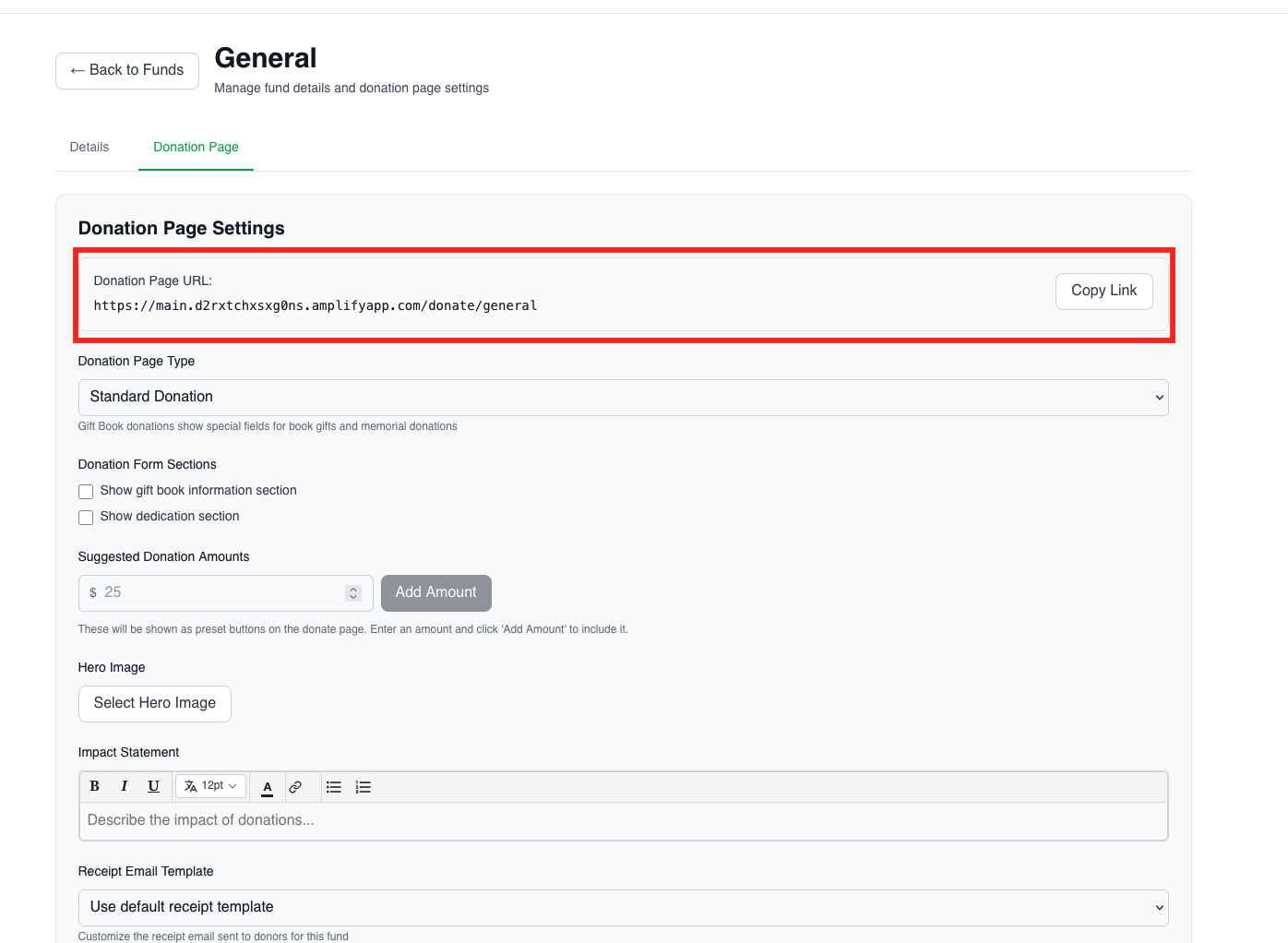
To preview the live public-facing donation page:
- Open the fund record
- Copy the Donation Page URL
- Paste it in a new tab.
Testing Online Donations In Staging
When you go to the public-facing donation page, fill out all of the relevant information on the first page, then “Proceed to Payment”.
On the payment page, you can use this test credit card number: 4242 4242 4242 4242. The rest of the fields do not matter, feel free to fill it in with any value.
NOTE: This will only be valid in the staging environment, this does not work in production.
As long as you use the test credit card number above, the transaction will succeed. This way you can test confirmation receipt workflows without sending actual money.