Reports & Email Summaries
The Reports section provides donation reporting, export tools, and automated email summaries sent to staff.
Automated Email Summaries
Two automated emails keep staff informed about incoming donations without needing to log into the system.
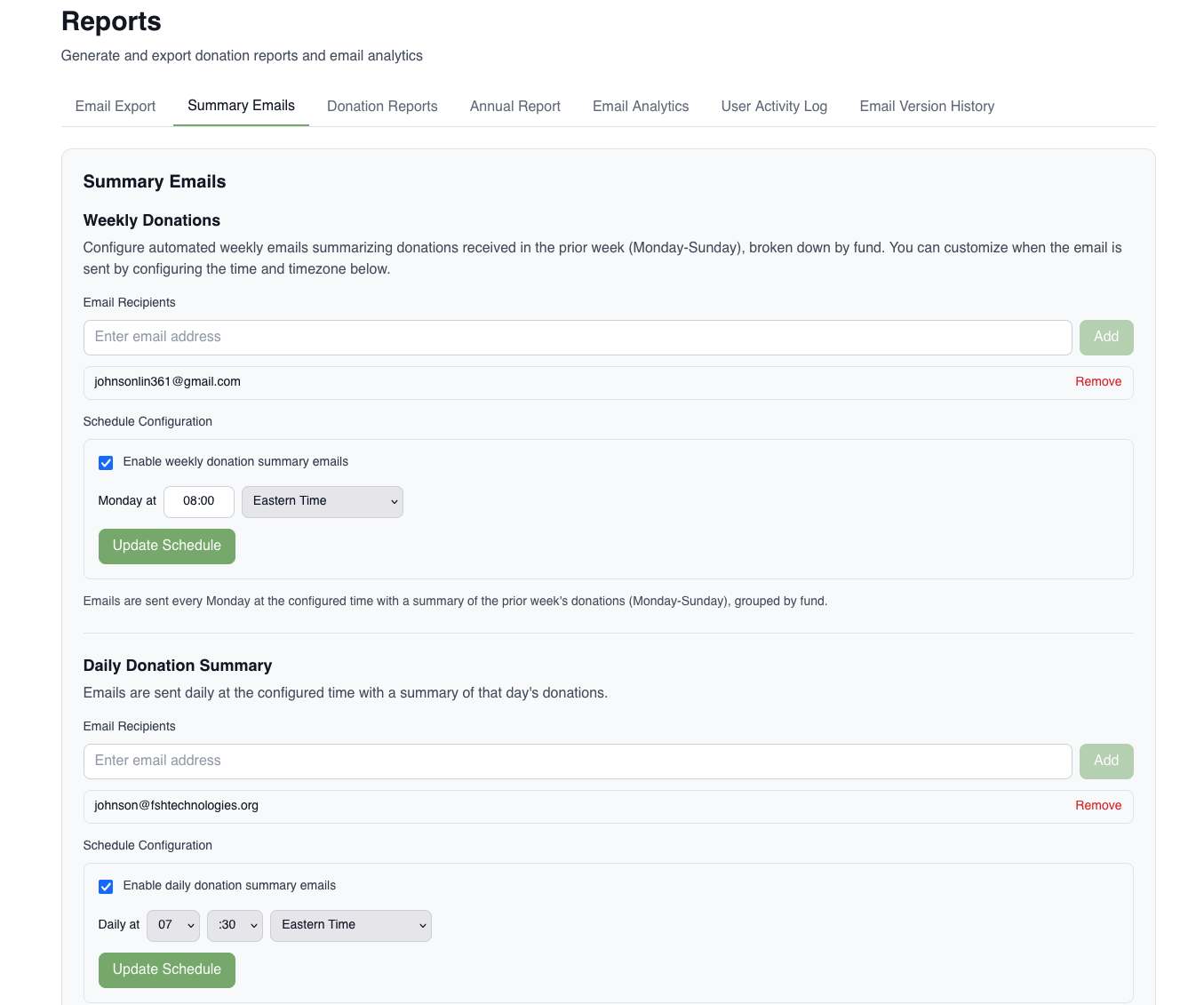
Daily Donation Summary
A daily email listing all online donations received, grouped by fund.
- When it sends: Weekday mornings at the configured send time. Does not send on Saturdays or Sundays.
- Monday: Covers Friday, Saturday, and Sunday — so the weekend period is included.
- What’s in it: A table with each fund that received donations, the number of gifts, and the total amount. Includes grand totals.
- Recipients: Configured separately from the weekly summary. Contact FSH Tech to add or change recipients or adjust the send time.
Weekly Donation Summary
A weekly email summarizing the full prior week (Monday–Sunday) of donations, grouped by fund.
- When it sends: Monday morning at the configured send time.
- What’s in it: Same fund breakdown table as the daily summary, covering the full prior week.
- Recipients: Configured in the email settings. Contact FSH Tech to add or change recipients or adjust the send time.
Reports Available
All reports are accessed from the Reports page in the admin portal. Most can be exported as CSV or Word document.
Batch Donation Report
Used as a paper record for auditing.
What it shows: A detailed list of individual donations, grouped by date. Each row includes:
- Date
- Donor name
- Fund
- Amount
- Payment type (cash, check, credit card, in-kind)
Filters:
- Date range
- Fund
- Staff member who recorded the donation
- Online donations only (to isolate Stripe gifts in a separate report)
Export format: Word document (.docx)
Monthly Donation Report
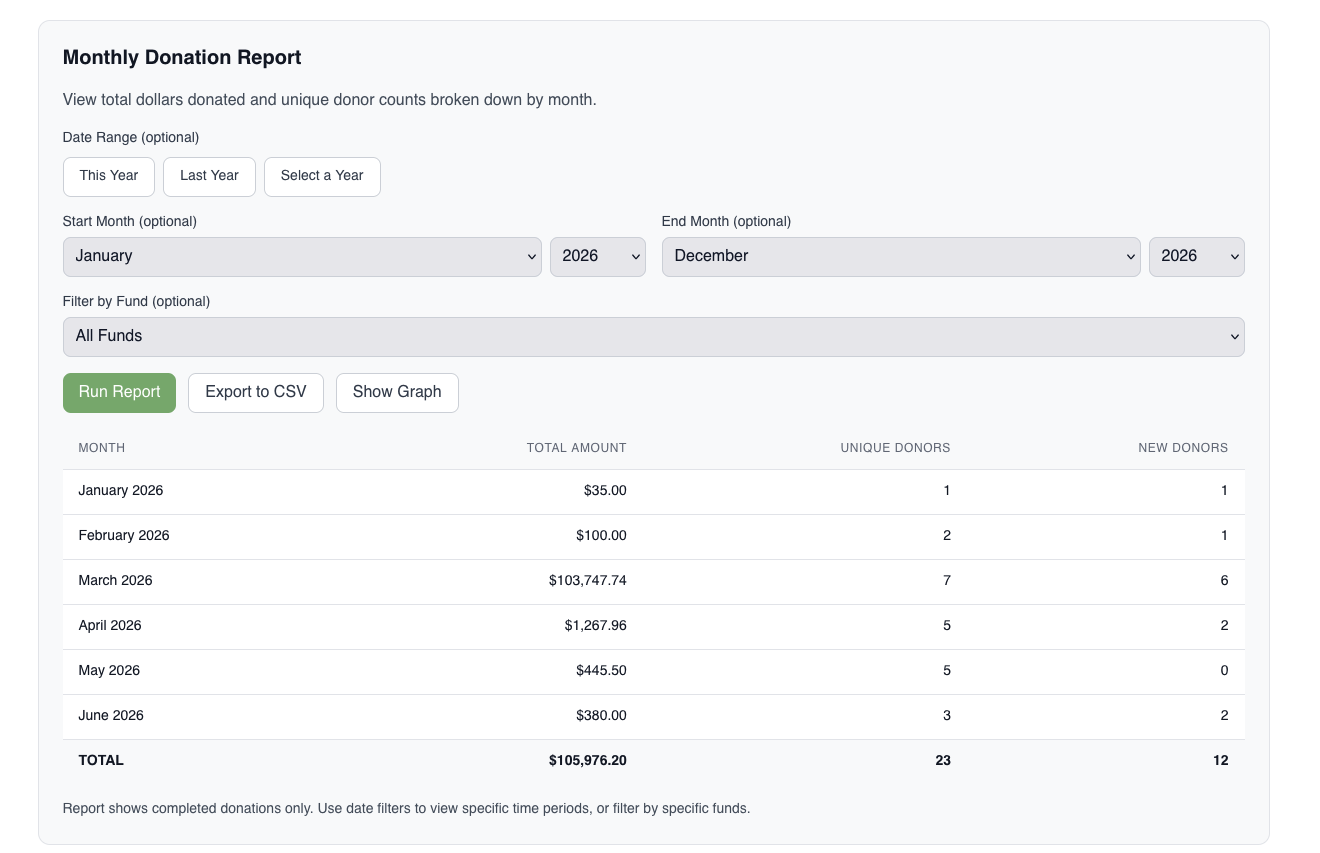
A month-by-month breakdown of donations by fund.
What it shows: For each month — total amount, number of gifts, unique donors, and new donors (first-time givers that month).
Filters: Date range, specific funds.
Export formats: CSV or JSON.
Use case: Tracking fundraising trends and donor acquisition over time.
Annual Report
A donor recognition export for use in printed annual reports or publications.
What it shows: Donor names organized by giving level (e.g., 5,000+, etc.). Dollar amounts are not included — only names. Anonymous gifts are excluded.
Filters: Date range, specific funds.
Export formats:
- Word document (
.docx) — formatted in a 4-column layout suitable for publication - Plain text (
.txt)
User Activity Log
An audit trail of all actions taken by staff in the system.
What it shows: Who performed an action, what action was taken, which record was affected, and when.
Filters: Staff member, action type, resource type, date range.
Export format: CSV.
Use case: Reviewing who made changes to a donation record, or verifying what actions were taken on a given day.
Email Export
Exports donor email address data with delivery status flags.
What it shows: Email addresses with indicators for bounced, do-not-contact, and unsubscribed status.
Filters: Bounced, do-not-contact, unsubscribed.
Export formats: CSV or JSON.
Use case: List hygiene, suppression list management, or auditing email delivery issues.